Understanding Smart lock Types
Overview of Smart lock Technologies
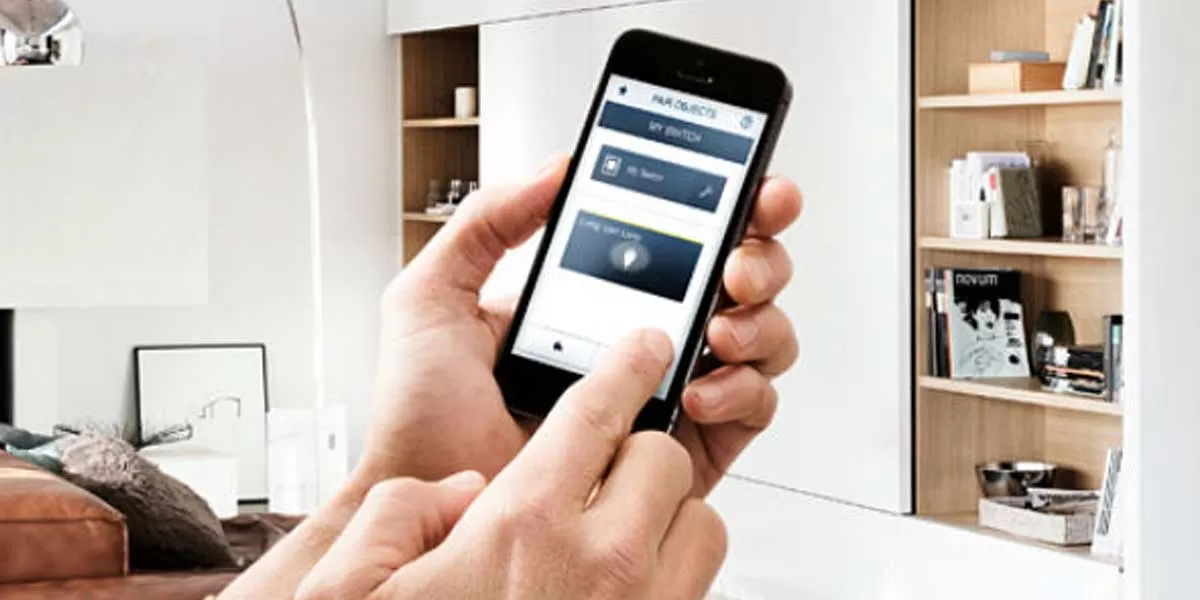
Smart locks are a revolutionary advancement in home security, blending traditional locking mechanisms with cutting-edge technology. They leverage various technologies such as Bluetooth, Wi-Fi, Z-Wave, and Zigbee to enable secure and convenient access. The technology behind these locks allows homeowners to control entry through mobile apps, keypads, or voice recognition.
One of the most common types of smart locks is the deadbolt replacement, which can be integrated into existing hardware. Keyless entry systems are also popular, allowing access via smartphone apps or biometric scans. Smart locks provide flexibility, enabling homeowners to manage their security remotely and set temporary access for guests or service personnel.
Benefits of Using Smart lock
The benefits of adopting a Smart lock system are manifold. Primarily, they enhance security through multiple access methods, reducing reliance on physical keys that can be lost or stolen. Remote locking and unlocking capabilities mean that homeowners can monitor entry points and control locks from virtually anywhere.
Additionally, smart locks often come equipped with features such as activity logs, allowing users to track who enters and exits their home and when. This can be particularly valuable for families with children or for those providing care to elderly relatives. Furthermore, the ability to grant temporary access to guests without the need for a physical key simplifies hosting and service access, enhancing convenience and peace of mind.
Choosing the Right Smart lock
When selecting a smart lock, compatibility with your existing door hardware is essential. Consider whether you need a lock that integrates with your home automation system and which smartphone platform you primarily use. Features like keypad entry, fingerprint recognition, and app functionality also play a vital role in your decision.
Additionally, assess the security features offered, such as encryption protocols and two-factor authentication. Read reviews and look for locks with strong warranties and customer support. Finally, determine your budget, balancing features and security without compromising your financial comfort.
Installation and Setup of Smart lock
Preparing for Installation
Before installing your smart lock, you must gather the necessary tools such as a screwdriver, drill, and perhaps a level to ensure the lock sits correctly. Read the manufacturer’s installation guide thoroughly. Ensure that your doorframe and door conditions meet the smart lock specifications for a seamless setup.
If you're replacing an existing lock, remove it entirely before proceeding. Conclusively, take note of any wiring if your smart lock requires a power source or if you're switching to a lock that supports battery operation.
Step-by-Step Smart lock Setup
To install the smart lock, start by securing the lock mechanism onto the door as per the manufacturer's instructions. Follow up by attaching the keypad or additional components like smart bridge devices needed for connectivity. For locks requiring app integration, download the associated app on your smartphone.
Upon downloading, create an account if required. Follow the app's specific steps to connect to your lock, usually involving pairing processes like scanning QR codes or entering activation codes. Test the lock for functionality against door operation, ensuring both locking and unlocking engage properly.
Common Installation Issues
During installation, homeowners may encounter several common issues. Misalignment of the lock with the doorframe can prevent proper locking; this can often be addressed by tweaking the door hinges or hardware. If connectivity problems arise, ensure that Wi-Fi or Bluetooth is functioning correctly and that the smart lock sits within range of your network.
Additionally, software glitches can occur, especially during initial setups. Ensure you have the latest firmware updates via the app. If issues persist, consult the customer service resources provided by the manufacturer for troubleshooting support.
Integrating Smart lock with Home Automation
Compatible Home Automation Systems
Smart locks can significantly enhance your home automation system by integrating with several compatible platforms such as Amazon Alexa, Google Home, and Apple HomeKit. This integration allows for voice-activated entry and the ability to include your smart lock in automated routines, such as locking or unlocking your doors when you leave or arrive home.
Additionally, integrating your smart lock with security systems enhances overall home security, allowing for synchronized alerts and control over multiple devices. Ensure compatibility through research and verified specifications as this varies widely among products.
Enhancing Functionality with Smart lock
Smart locks offer additional functionalities that can significantly improve the user experience. Features like geofencing allow the lock to automatically unlock as you approach your home. Some smart locks also support IFTTT (If This Then That), which means you can create customized automation scenarios for heightened convenience.
Consider using smart locks with built-in cameras or integration with doorbell cameras, giving you a complete view of your front entry. Smart alerts can notify you when someone unlocks the door, and this can be essential in maintaining awareness of your home’s security at all times.
Future Trends in Smart lock Integration
The future of smart locks points toward even deeper integration with artificial intelligence and machine learning, offering tailored security solutions that adapt to user behavior over time. Developments will likely focus on enhanced user interfaces, increased biometric options, and other innovations that increase efficiency and security.
Moreover, growing interest in smart home ecosystems suggests a shift towards locks that seamlessly integrate with a broader array of smart devices. Enhanced APIs are anticipated, allowing different devices to share more data effectively, further optimizing smart home environments.
Maintaining Your Smart lock
Regular Maintenance Tips
Smart locks, like any technical device, require regular maintenance to ensure optimal performance. Regularly check batteries to avoid unexpected failures; most locks provide low battery notifications via their apps. Clean the lock mechanism to prevent dirt buildup that can hinder functionality.
Firmware updates are essential, as manufacturers may release patches that enhance security or functionality. Schedule regular checks and updates every few months to ensure your lock remains current with any technological enhancements.
Troubleshooting Common Issues
Simplifying troubleshooting can save homeowners significant time and inconvenience. Common issues include unresponsive apps or locks failing to lock/unlock. For unresponsive apps, restarting the device and checking for updates can usually resolve the problem. For locking issues, ensure that the door is properly aligned and inspect the internal components for any obstructions.
For persistent issues, reviewing the manufacturer's troubleshooting guide can provide insight into specific error codes or warnings the system may display.
When to Upgrade Your Smart lock
It's essential to evaluate when to upgrade your smart lock. Major changes in technology and security can call for an upgrade, particularly if new features provide significant security enhancements. If your smart lock experiences repeated failure or malfunctions, it may be time for an upgrade.
Monitor reviews and new releases in the industry, as the market continually evolves, offering better encryption, battery life, and functionalities. Regularly assessing your needs against what's available ensures your home remains secure with the latest technology.
Frequently Asked Questions about Smart lock
What is a Smart lock?
A Smart lock is a digital locking mechanism that allows users to lock or unlock doors via mobile apps, keypads, or biometric recognition, enhancing security and convenience.
How secure are Smart locks?
Smart locks utilize advanced encryption standards to provide a secure method of access. Many models include security features like alerts and logs to enhance safety further.
Can I use my Smart lock without Wi-Fi?
Many smart locks do not require continuous Wi-Fi access; however, some features may be limited without internet connectivity. Bluetooth-enabled locks allow offline management.
How long do Smart lock batteries last?
Battery life for smart locks can vary, typically lasting between 6 months to 1 year, depending on usage and the features employed. Regular battery checks are recommended.
What happens if my Smart lock malfunctions?
If a smart lock malfunctions, most come with backup mechanical keys or emergency access features. Manufacturer support can also troubleshoot or advise on repairs.